
Migrate
The push & pull sites solution that helps you save time and adherence your productivity.

001
Arctic tern
- The Arctic tern is a tern in the family Laridae. This bird has a circumpolar breeding distribution covering the Arctic and sub-Arctic regions of Europe, Asia, and North America.
- The species is strongly migratory, seeing two summers each year as it migrates along a convoluted route from its northern breeding grounds to the Antarctic coast for the southern summer and back again about six months later.
002
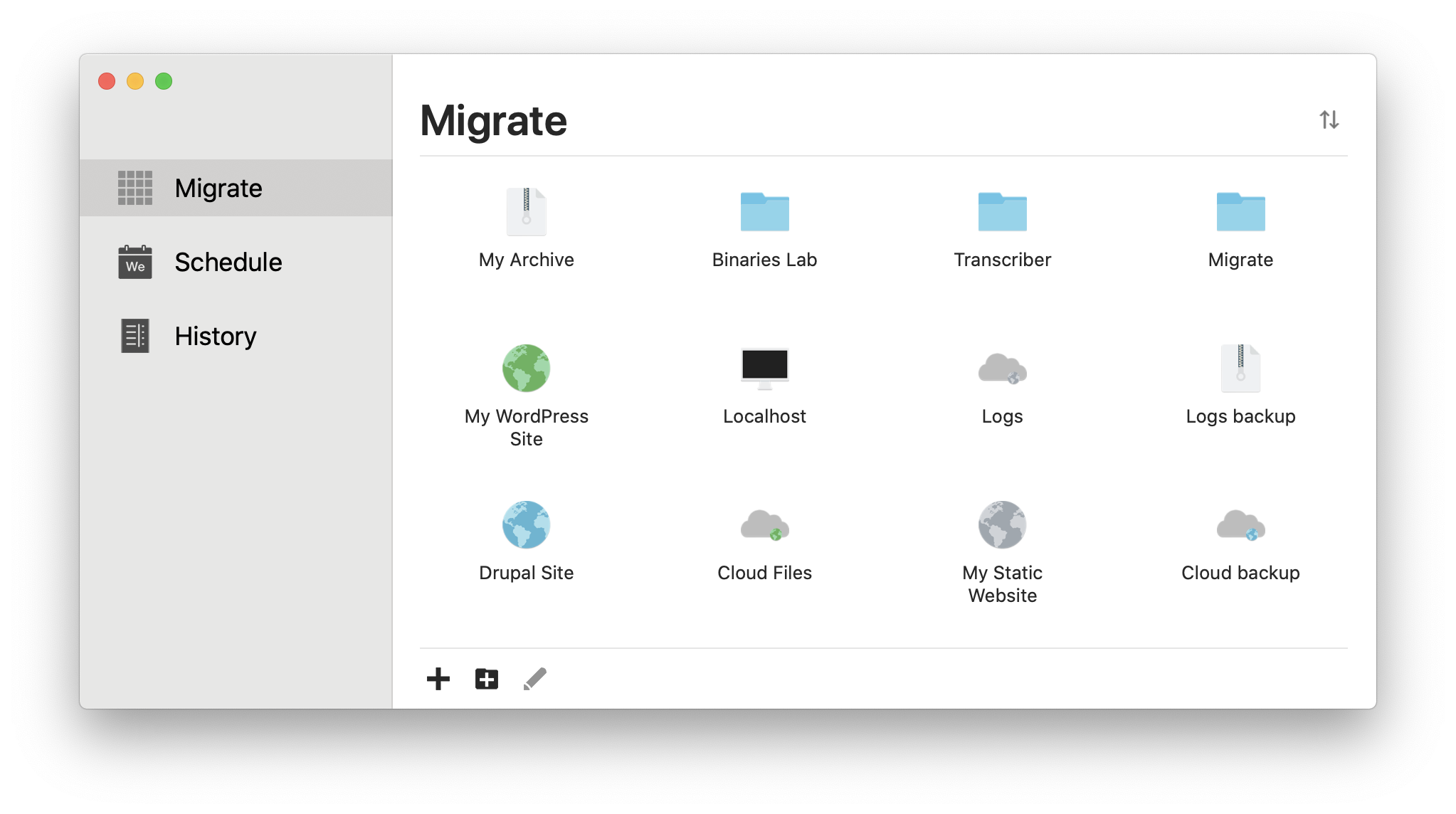
Manage all your sites in one place
- Migrate allows you to create multiple account types.
- Manually add all your sites, savings new details and creating projects to keep track of where your sites are going.
003
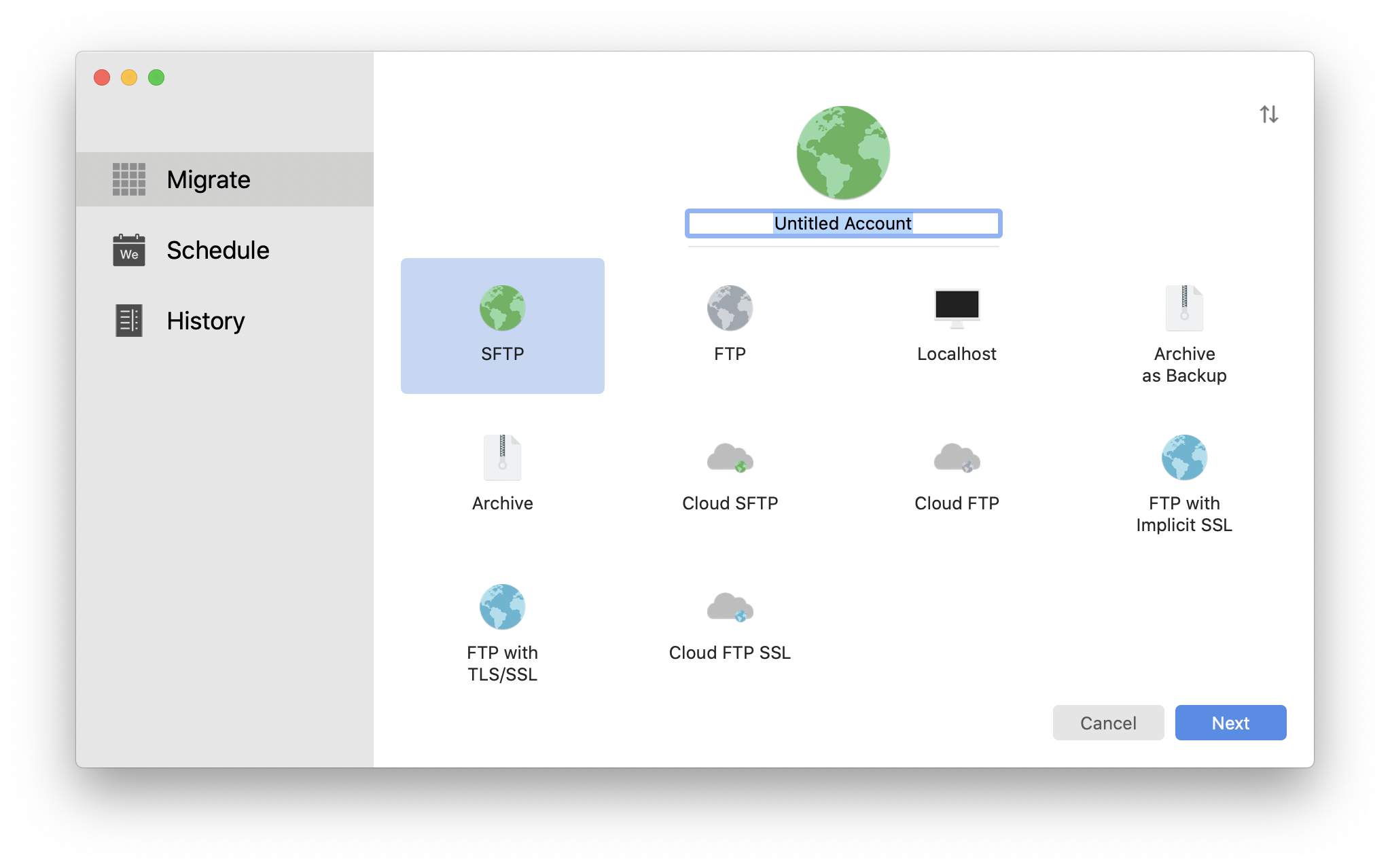
Achieve your goals with productivity
- From server account with SFTP, SFTP with private key, FTP, FTP with TLS/SSL and FTP with implicit SSL, to localhost accounts and archive accounts, such as zip archives or cloud accounts.
004
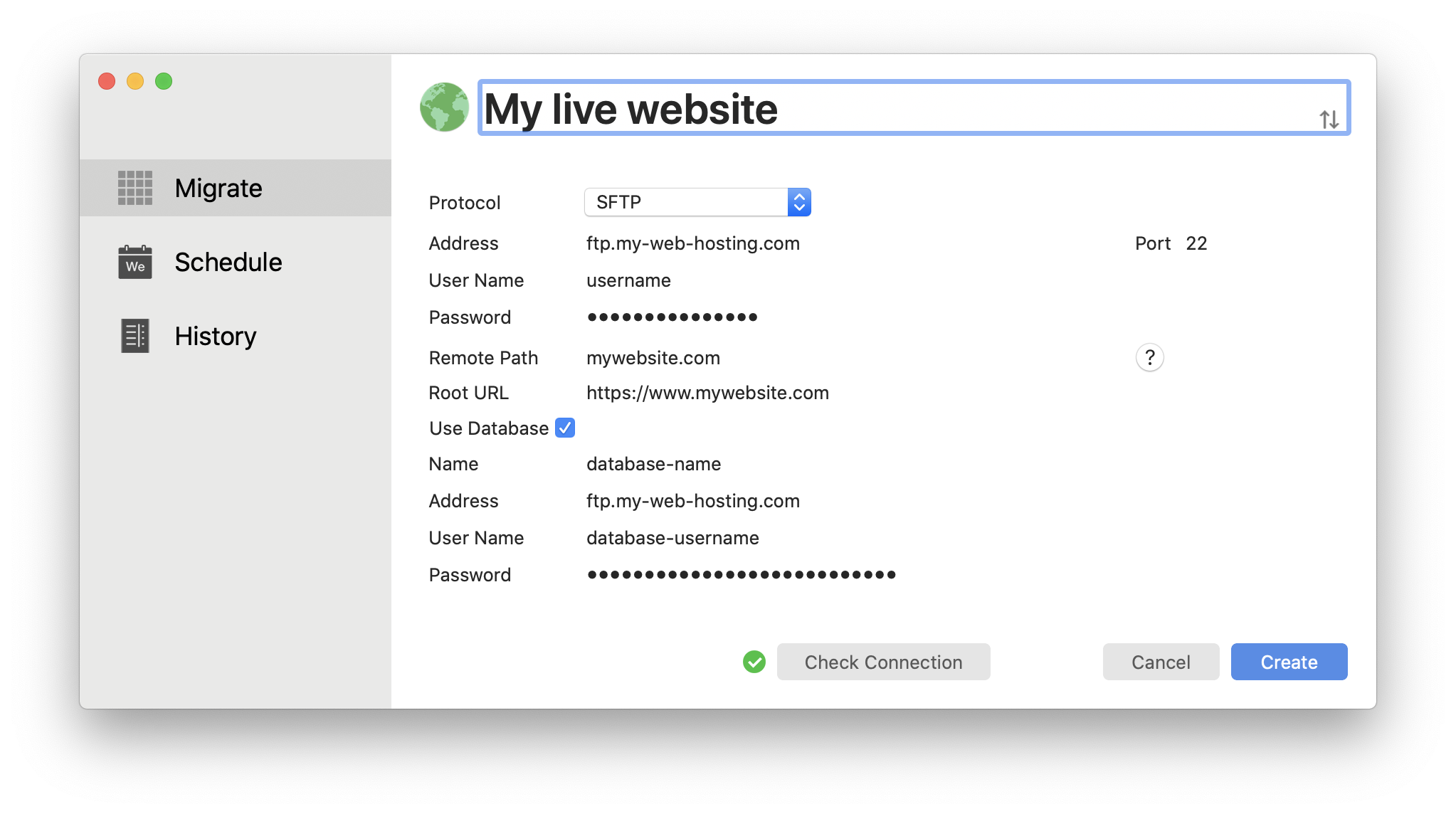
Push & Pull unlimited websites
- Migrate can automatically sync your data on your sites, local developments and cloud providers seamlessly.
- Migrate was built in security and usability for the iCloud ecosystem. The passwords of your accounts are stored on the your KeyChain app via your Apple account and be edited at any time.
005
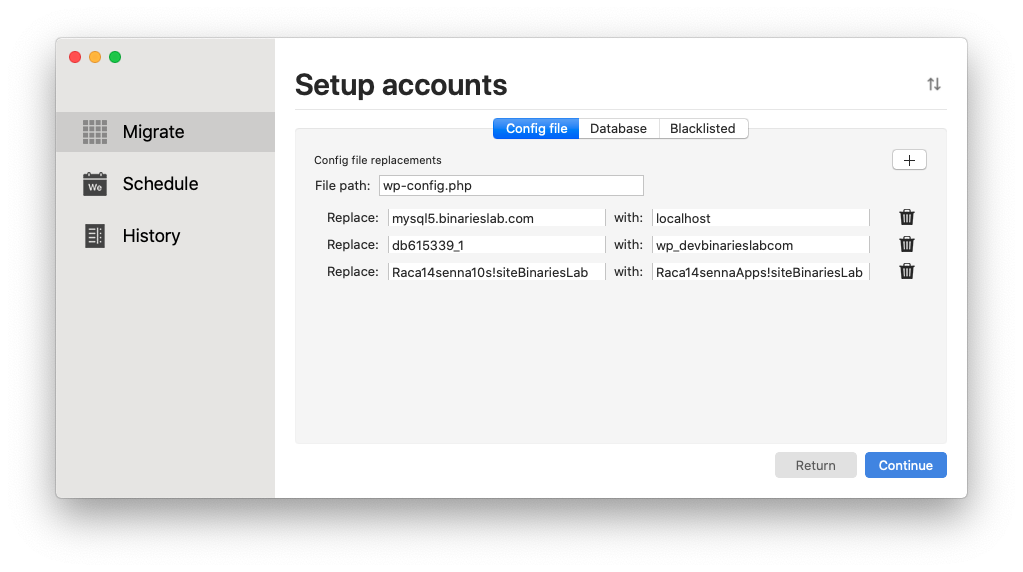
Find & Replace that handles serialised data
- Why not just export the database and run a find & replace on the SQL file? Easy enough, right? Wrong. Any replacement applied to data that uses PHP serialization (e.g. widgets) will corrupt the serialization and result in an empty string when unserialized.
- Migrate detects serialized data and runs a special find & replace on it ensuring that the data is not corrupted.
006
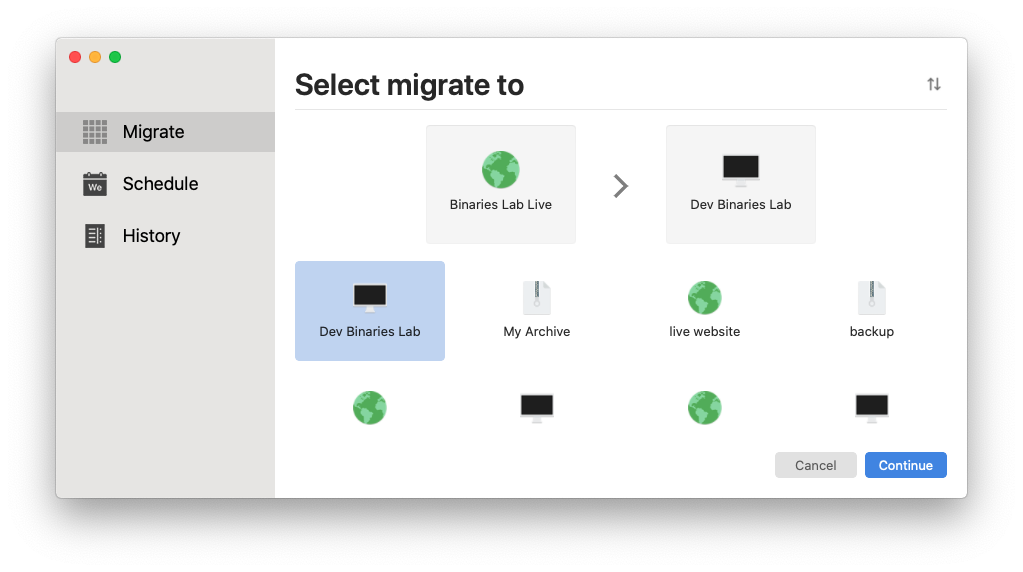
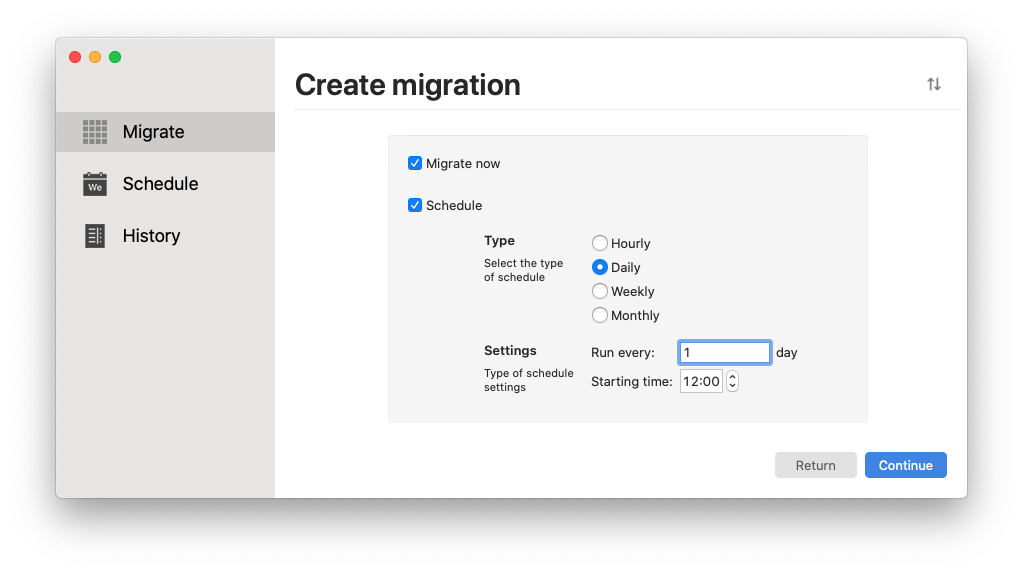
Save time with personalised automated migrations
- Automate your migration so the computer does the hard work, not you. Your website is not the place for having your migration tools in it.
007
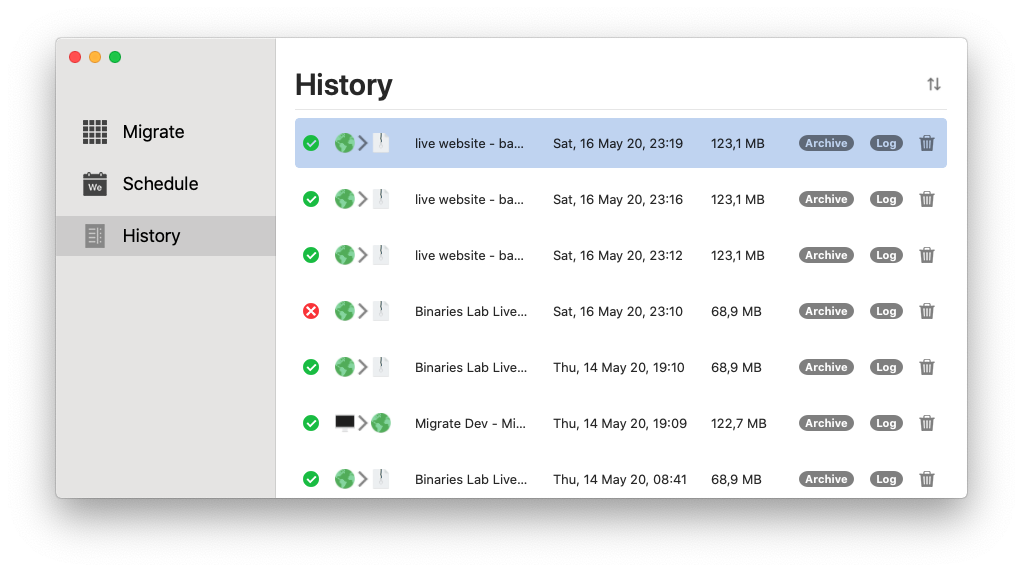
Glance at your archives
- Your archives and backups does not belong to your hosting provider. It belongs to you.
- Check your latest archives and motivate yourself to save more time and achieve your goals faster with the new powerful history list.
Packed with features
The app has a lot of helpful and powerful features which are listed down below.
Private & SecurePrivacy Built-inIn-App PurchasesQuick Account CreationSchedule Push & PullsHistorical MigrationsTotally Customisable
Frequently Asked Questions
We've compiled a list of answers to common questions.
Is Migrate private?
Absolutely. We have the utmost respect for your privacy. Your information is safe and secure with Migrate.
Which accounts are available?
We support multiple account types. From server account with SFTP, SFTP with private key, FTP, FTP with TLS/SSL and FTP with implicit SSL, to localhost accounts and archive accounts, such as zip archives or cloud accounts.
How secure is Migrate?
Migrate is secured using KeyChain app, following Apple's security framework.
How much does it cost?
We offer Migrate Premium for our Pro users. If you are a normal user, you can still get all the most used features for free. But if you want to support future development and the team, you can subscribe to Migrate and unlock extra powerful features.
Are there any ads?
Nope. We hate ads, just like you do.